
Get to know Artos in detail —
in a 245-page guide
Every department and every screen in Artos, explained in Arabic with real screenshots of the system in action. Read it before you start, or keep it as a reference for whenever you need it.
 دليل المنتج · ٢٠٢٦
لنظام ارتوس
شرح كل قسم وكل شاشة في نظام إدارة الأعمال السحابي، بلقطات حقيقية من النظام
 ٤٢
٤٢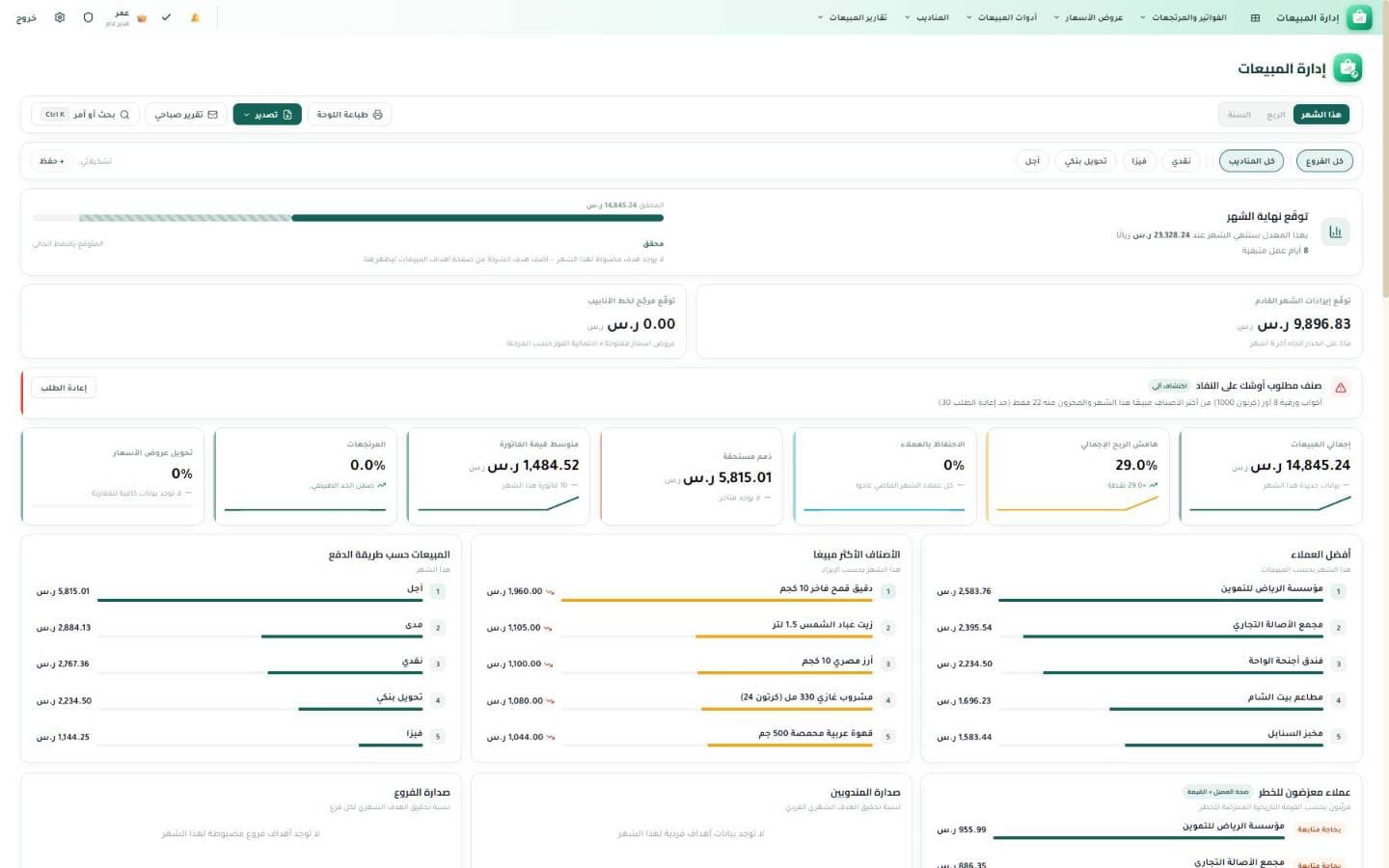
What is inside the guide?
21 chapters in exactly the order they appear in the PDF, from an introduction to the platform through to a full index of every screen.
- Chapter 01
What is Artos?
An overview of the platform and the idea of one integrated system covering every department of the business.
- Chapter 02
Quick Start
Creating the company, logging in, and setting up the basics through to your first invoice.
- Chapter 03
The Platform & Shared Tools
The home screen, search, reports, export, and the permissions shared across every department.
- Chapter 04
Sales Management
Quotes, sales orders, invoices, collections, and the sales tracking dashboard.
- Chapter 05
Inventory
Items, warehouses, stock-in/stock-out movements, stocktaking, and low-stock alerts.
- Chapter 06
Customer Management
The customer card, statement of account, categories, and tracking outstanding balances.
- Chapter 07
Purchasing
Purchase requests, supplier invoices, receiving, and their link to inventory and accounts.
- Chapter 08
Supplier Management
Supplier profiles, statements, price lists, the performance scorecard, and risk tracking.
- Chapter 09
Expenses
Recording expenses, categorizing them, tracking them, and linking them to accounts.
- Chapter 10
Financial Management
The chart of accounts, journal entries, financial reports, period close, and accounting periods.
- Chapter 11
Production & Manufacturing
Bills of materials, work centers, production orders, production cost, and batch tracking.
- Chapter 12
Point of Sale
The cashier screen, shifts, split payment, and working offline.
- Chapter 13
Restaurant Management
Tables, orders, menus, reservations, and running the floor.
- Chapter 14
Kitchen Management
The kitchen display, prep stations, fire timing, recipes, and waste.
- Chapter 15
Project Management
Projects, contracts, bill-of-quantities items, subcontractors, and site tracking.
- Chapter 16
Sales Rep Management
Sales reps, visits, field collections, commissions, and vehicles.
- Chapter 17
Human Resources
Employee files, attendance, leave, payroll, hiring, and the employee portal.
- Chapter 18
School Management
Teachers, academic years, teacher performance evaluation, reports, and notes.
- Chapter 19
Supporting Tools
Notifications, approvals, the audit log, appointments, and other helper tools.
- Chapter 20
Portals & Public Pages
The customer portal, employee portal, subcontractor portal, and quote links.
- Chapter 21
Full Screen Index
A reference list of every screen in the system with a short description of each.
Real screenshots from inside the guide
A few of the screens the guide walks through, captured from the system while it runs — not mockups.
The sales dashboard
This month on a single screen: total sales, profit margin, outstanding receivables, and your best customers and items.
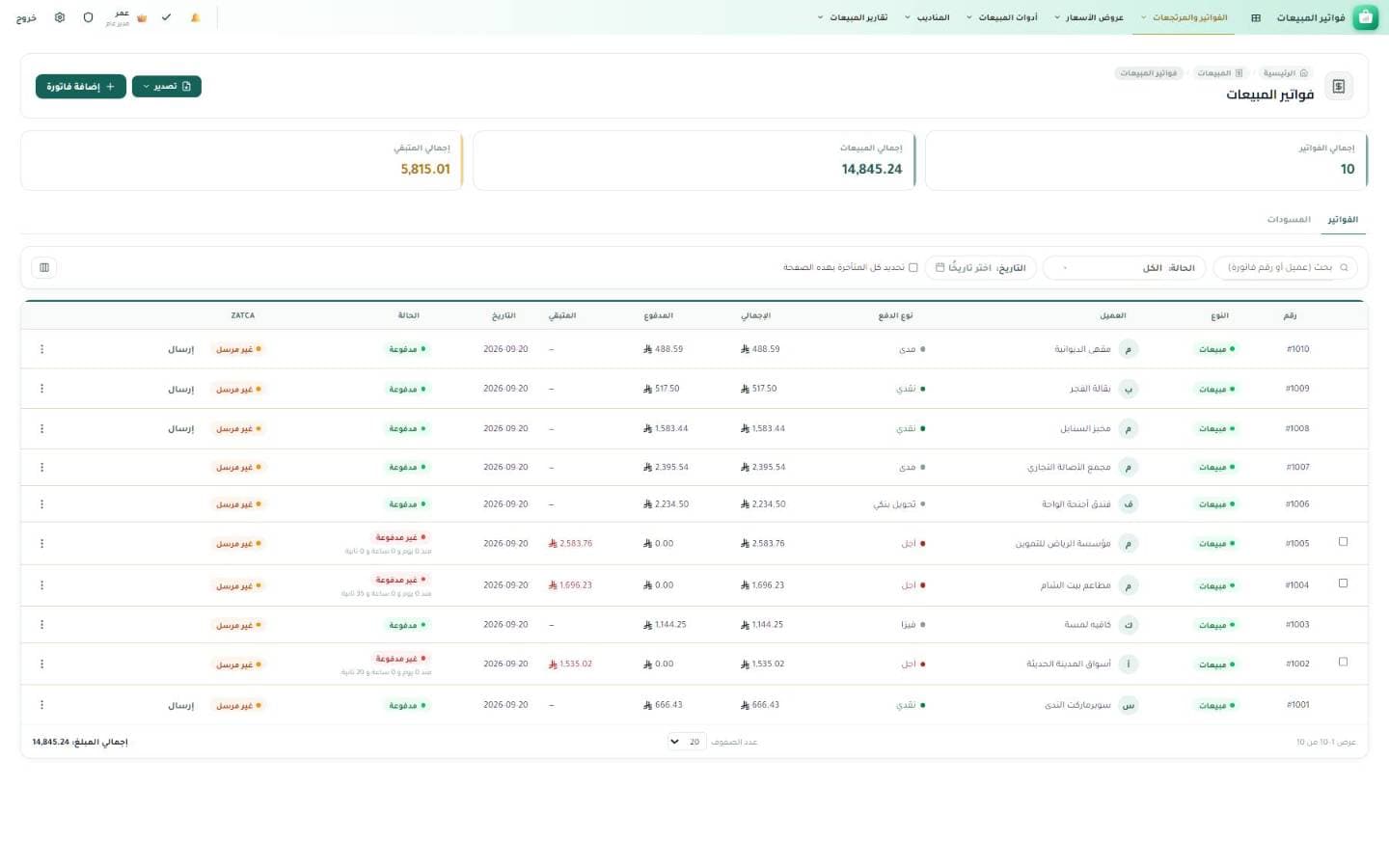
Sales invoices
Every invoice with its payment status, what each customer still owes and its e-invoicing status, plus search and filtering by date.
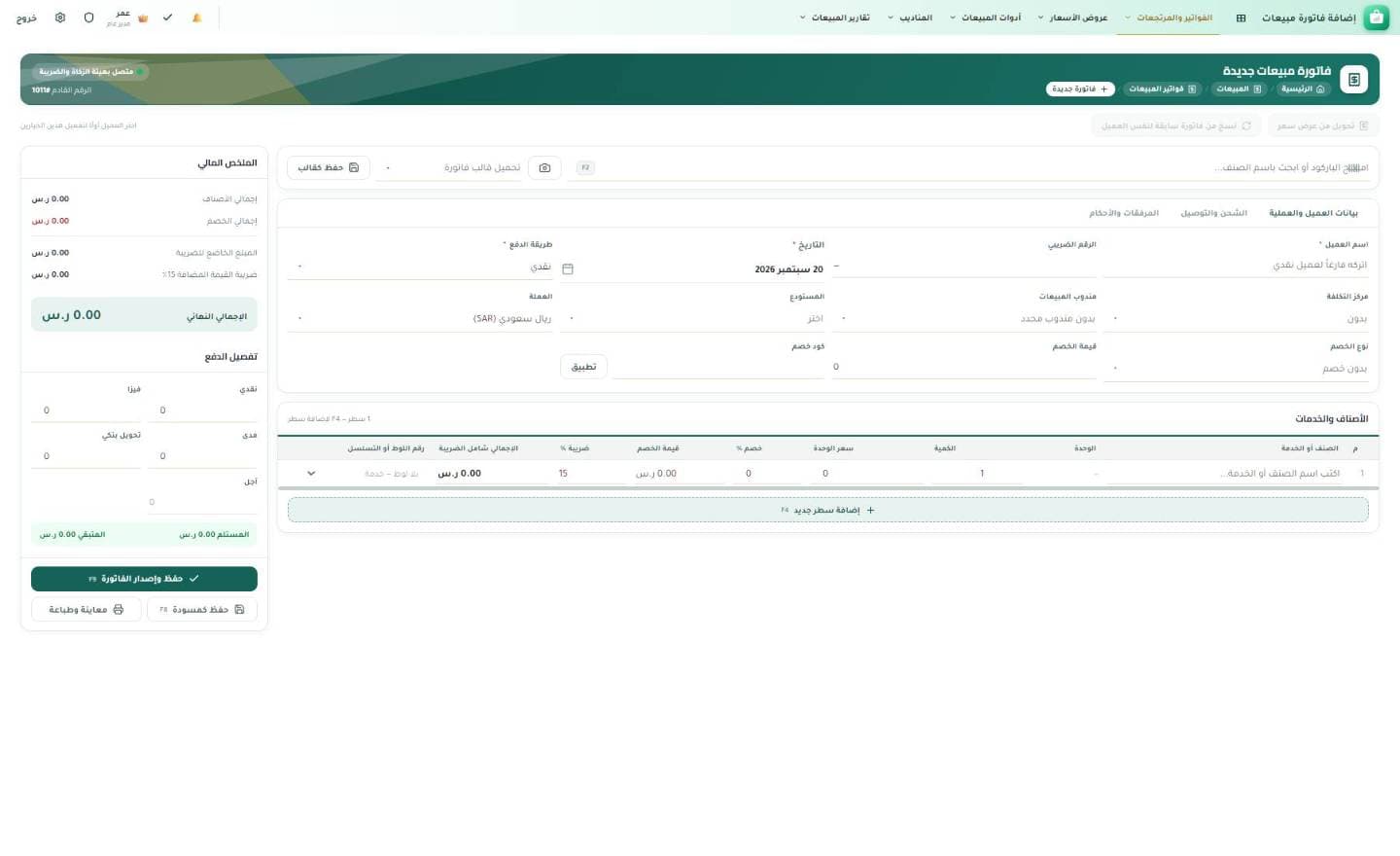
Issuing a new invoice
Customer details, invoice lines and a financial summary that updates as you type — save it as a draft or issue it straight away.
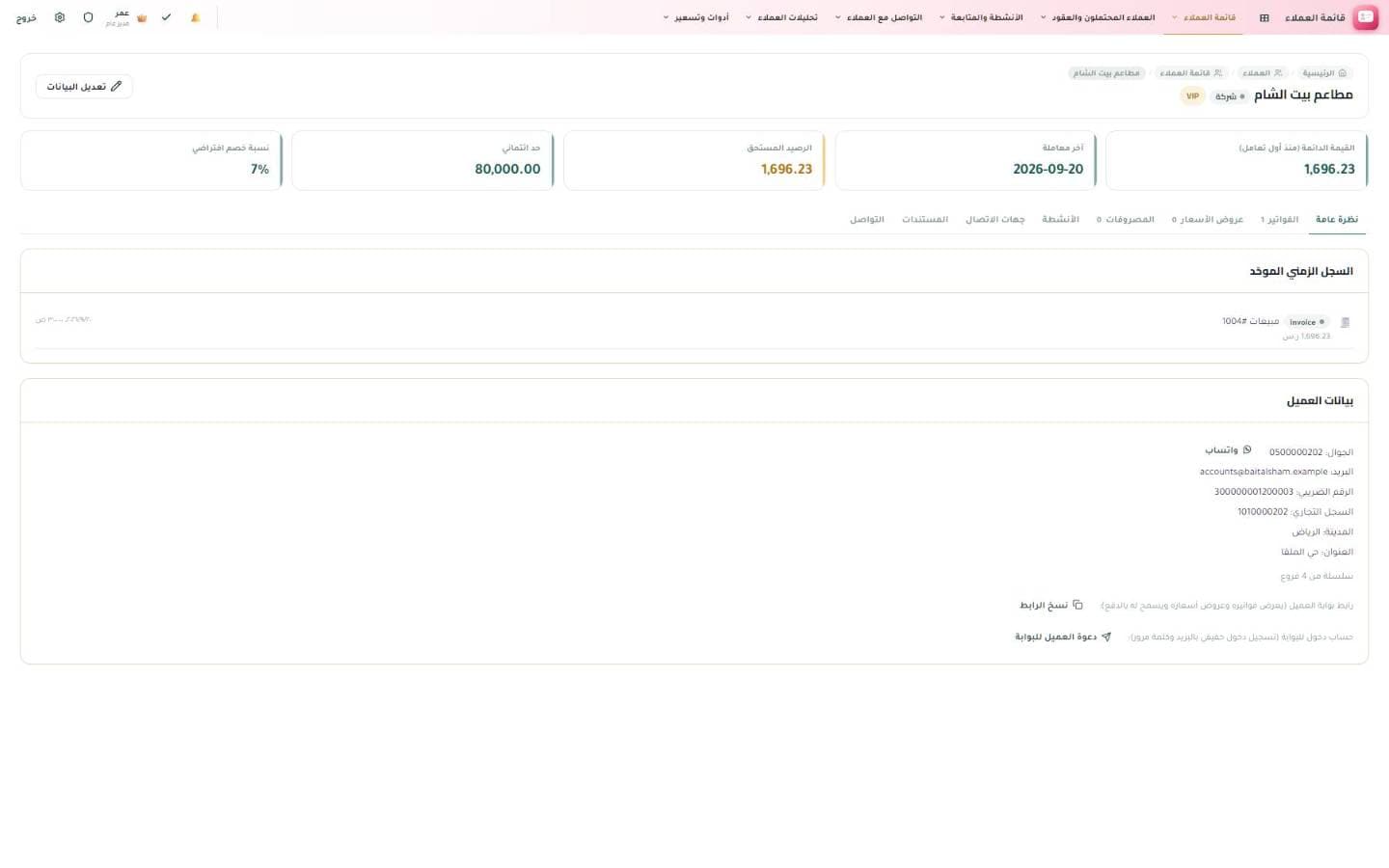
The customer card
Outstanding balance, credit limit and last transaction, with one timeline covering every dealing with that customer.
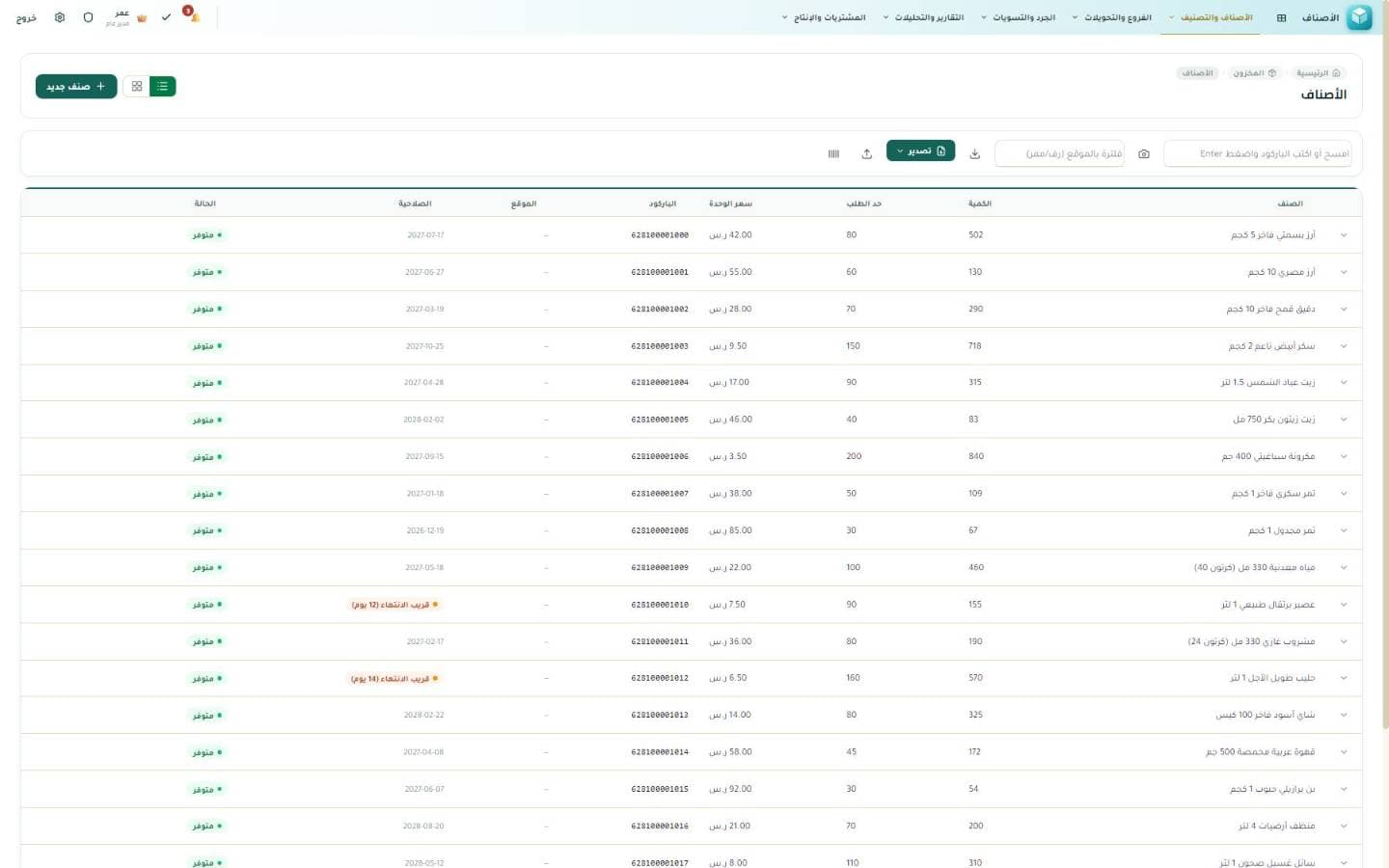
The item list
Quantity, reorder level, unit price, barcode, expiry date and the status of every item in one table.
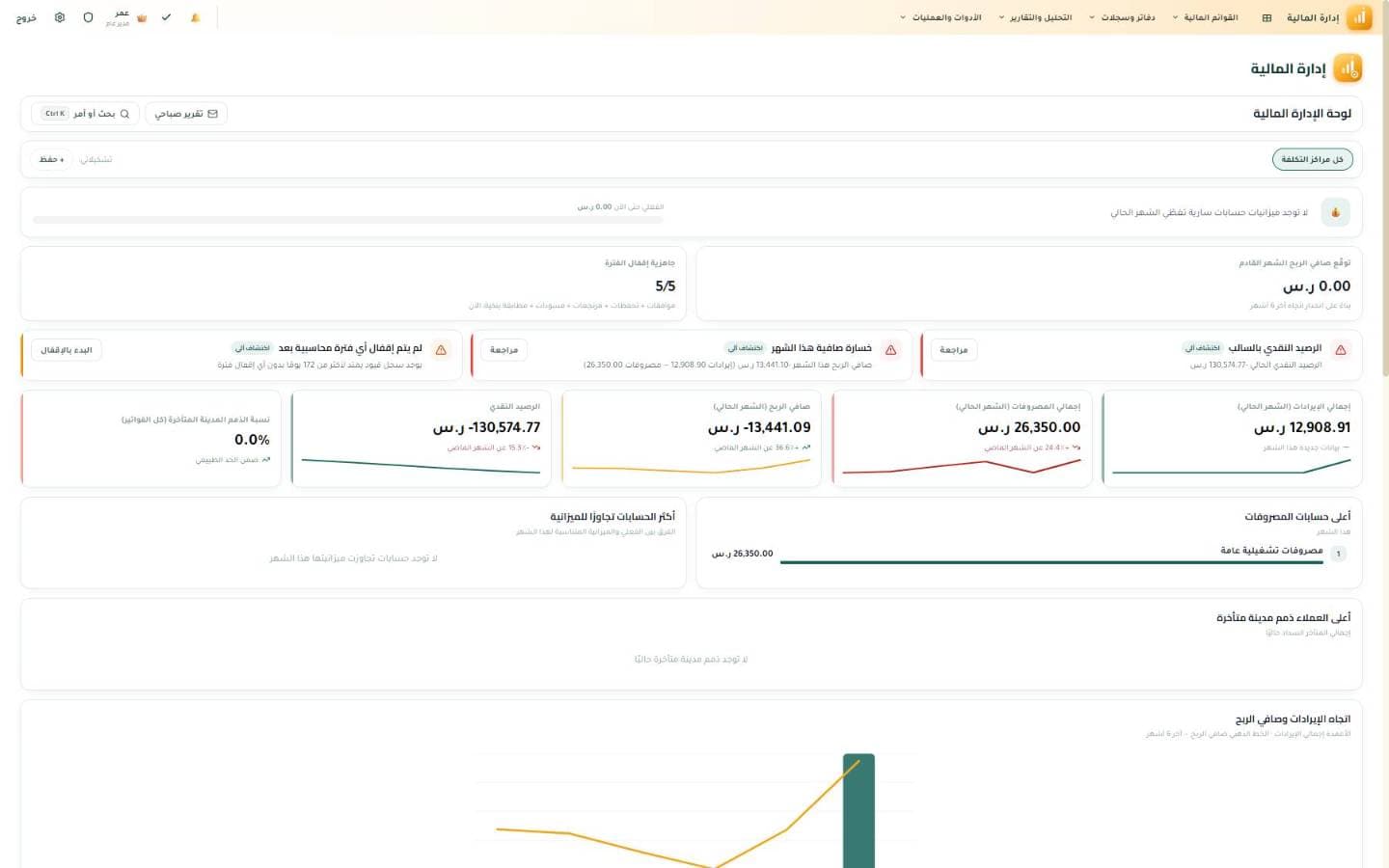
The financial dashboard
Period-close readiness, net profit, cash balance and the revenue trend, all on a single screen.
Written for everyone who uses Artos — or is thinking about it
You do not have to read it cover to cover; start with the chapters that match your work.
The business owner
See what each department and each tracking dashboard gives you before you decide, without trying every screen yourself.
- What is Artos?
- Sales Management
- Financial Management
Accounting and finance
Invoices, journal entries, statements of account, financial reports and period close — explained screen by screen.
- Sales Management
- Expenses
- Financial Management
Operations and IT managers
Company setup, permissions, portals and shared tools — and how the departments connect to one another.
- Quick Start
- The Platform & Shared Tools
- Portals & Public Pages
Download the Artos guide now
One file to keep on your device and share with your team.
Ready to try Artos for yourself?
Create your system now and try it free for 15 days — with no credit card.
Start your free trial